Motorized screen WiFi hub setup

Motorized screen WiFi hub setup for the Fenetex Smart hub: install the app, put the hub in pairing mode, connect it to 2.4 GHz WiFi, and add each screen by pairing it from its remote.

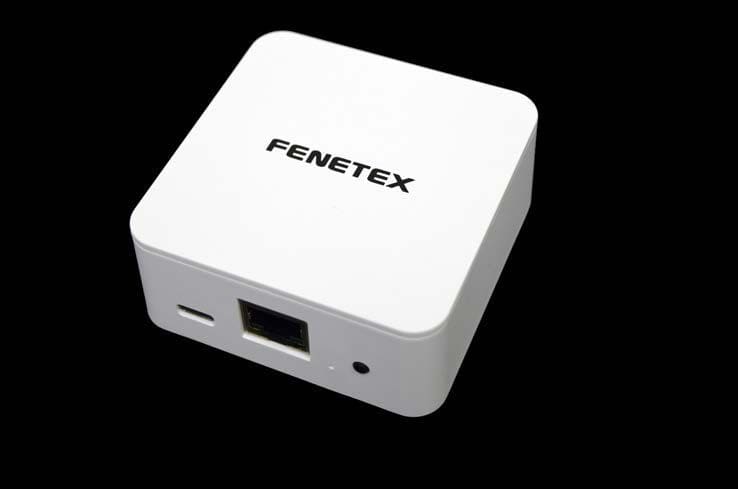
Fenetex Smart hub

The Fenetex Smart hub ($149) lets you run your screens from your phone. This motorized screen WiFi hub setup takes about ten minutes. Have your phone, your WiFi password and the screen’s remote handy. The app calls the hub a “Bridge.”

Smart hub setup flow1Install the Connector app and create an account2Power the hub; hold Setting 2 s (purple flash)3Pick the hub in the app; join 2.4 GHz WiFi or Ethernet4Add a room, then a new device: Radio Motor > Roller Blinds5Choose "By Remote"; press P2 on the remote6Hold STOP 3 s during the countdown; name the screen
The hub only joins 2.4 GHz WiFi networks.

1. Get the app and an account

Download the Connector app (Connector on Google Play, Connector+ on the Apple App Store), open it and sign up.

2. Connect the hub

  1. Plug in the hub.
  2. Hold its Setting button for 2 seconds. A flashing purple light means it is ready to pair.
  3. In the app, tap + and choose the Bridge from the list. If it does not appear, move closer and tap Refresh.
  4. Choose how it connects: WiFi (2.4 GHz only) or an Ethernet cable.
  5. When the app says the Bridge is connected, tap Next and give it a name.

3. Add a room and your screens

  1. Tap Add New Room, name it and pick a picture.
  2. Tap New Device, then Radio Motor, then Roller Blinds.
  3. Choose the Bridge, then pick By Remote (the simplest way).
  4. Take the back off the screen’s remote and press P2; tap Next.
  5. Hold the remote’s STOP button for at least 3 seconds while tapping Next; a 30-second countdown starts.
  6. When the app says Done, name the screen and put it in a room.

Repeat step 3 for each screen. Remotes keep working alongside the app.

Rather not do it yourself?

Book an installer through Hurricane Handyman. Damage caused by faulty installation is not covered by the Fenetex warranty, so a careful install protects your coverage as well as your screens.

Questions people ask

Will the hub work on 5 GHz WiFi?
No. The hub connects only to a 2.4 GHz network, or by Ethernet cable. Most routers broadcast both; pick the 2.4 GHz one.
The app cannot find the hub. What should I check?
Make sure the light is flashing purple (pairing mode), stand closer to the hub, and tap Refresh.
How much is the Smart hub?
The Fenetex Smart hub is $149. Add it in the calculator's Controls step.